
Projector Mode
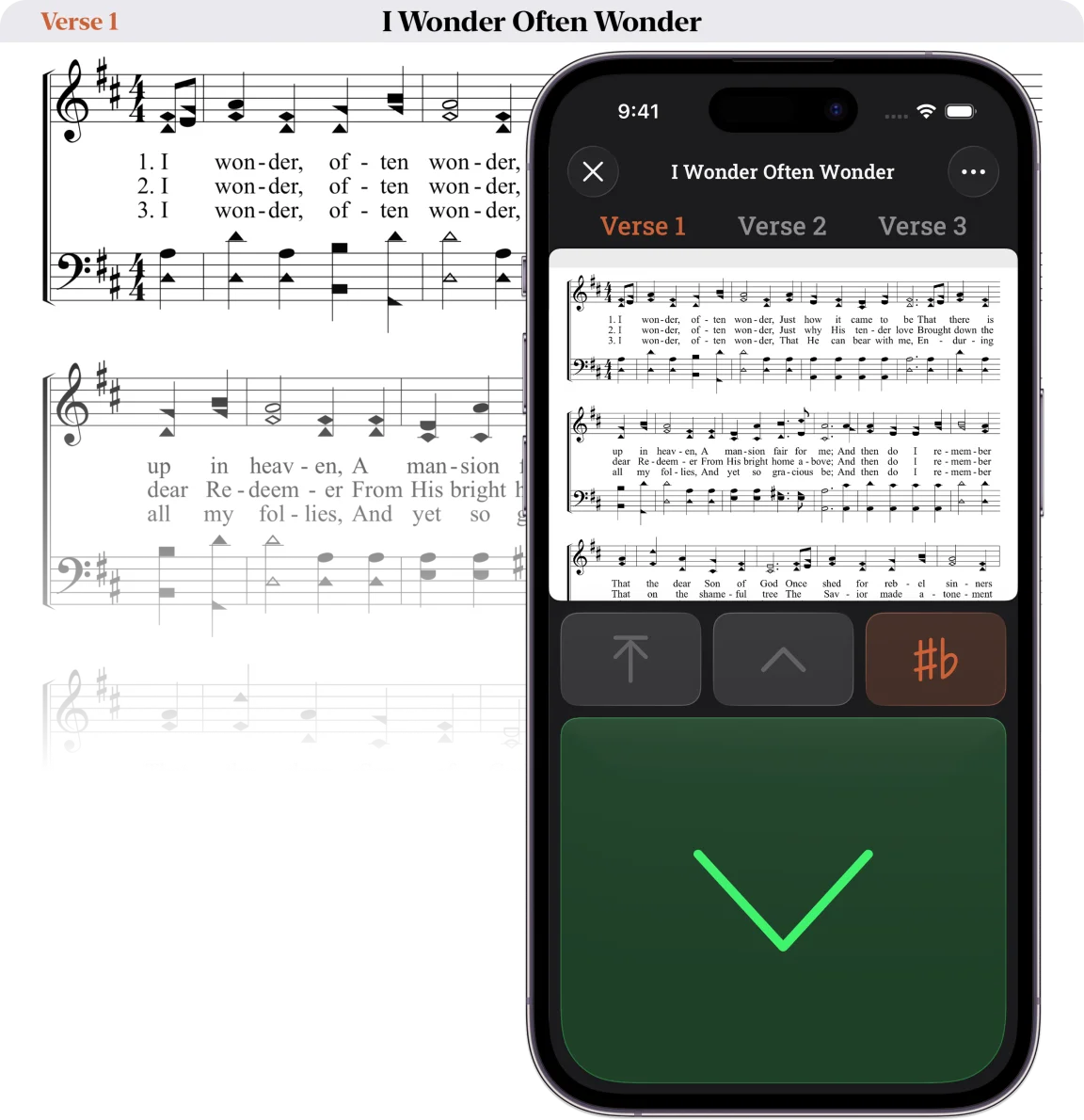
Included with all subscriptions is Stanza’s Projector Mode to show your songs on a big screen so everyone can sing along. To do that, your phone needs to connect to your projector via AirPlay, Chromecast, Miracast, or a wired connection.
When you are ready to sing, simply tap the projector button on a song to begin. Once you have sung the top system of music, tap the scroll button to smoothly advance to the next system. Continue through the entire song like this, always able to see what comes next.
This page covers the gear that we have tested with Stanza.
Please note: Unfortunately Stanza does not work with the Epson iProjection app.
Some modern “smart” projectors have built in support for screen mirroring. Check to see if your projector supports AirPlay (Apple), Chromecast (Google), and Miracast (Samsung). If your projector does not support these, you will need a small device (dongle) that plugs into the HDMI port on your projector to allow you to wirelessly mirror or extend your phone display to the projector. We at Stanza have tested a few different devices that do this.
Each of these devices require some setup that will need to be done on a wireless network that is connected to the internet. Once setup is done, you can take them anywhere and connect to any network or hotspot (if required). Click or tap the name of the product for a link to the manufacturer’s website but also check around for the cheapest prices.
Dongles
Roku Express
A small, inexpensive dongle that works with iPhone and Android and scrolls fairly smoothly in Stanza. It needs Wi-Fi (your phone’s hotspot works) and a Roku account. Most of its TV apps and menus can be hidden, but not all. Other Roku models work the same way. Note: Rokus and Google Pixel phones don’t seem to work together.
Apple TV 4K
The most reliable and easiest to use, with the smoothest scrolling. It only works with iPhone/iPad/Mac, and requires an Apple account. It does not need Wi-Fi, and all TV features can be hidden. It is the most expensive and largest, but suits a permanent setup like a school or church where only Apple devices need to connect.
J5 Create ScreenCast Wireless Display Adapter
The smallest dongle we tested, and the only one with no TV apps or menus. It works with iPhone and Android. Android connects without Wi-Fi, while iPhones need Wi-Fi or a hotspot. Scrolling can be jerky, and it sometimes disconnects or is hard to connect. Newer models support 4K resolution.
Projectors
Any projector with an HDMI port will work with any of the dongles above. We have tested a few portable projectors with built in screen mirroring tech that works with varying levels of success. These are “portable projectors” meaning they are suitable for use with small to medium size groups (approx. 20 people max). For a big group or a permanent setup it would be best to look into bigger, brighter projectors.
Nebula Capsule 3 Laser
A small portable projector with mirroring built in, so no dongle is needed. At 1080p and 300 ANSI lumens (brightness), it’s plenty for a group of up to about 20. It focuses itself fairly well, runs on battery for an hour or two, and fits a standard camera tripod. Mirroring needs Wi-Fi, scrolling can be jerky and inconsistent, and its TV features can’t all be hidden. Other Nebula projectors work about the same, differing mainly in sharpness and brightness. We suggest a resolution of at least 1080p for sharp songs.
LG CineBeam Q 4K
A portable projector with mirroring built in, so no dongle is needed. At 4K and 500 lumens it’s sharper and brighter than the Nebula, and it focuses itself. It’s slightly larger but still easy to carry. Scrolling is fairly smooth. It has no battery, so it must stay plugged in, and mirroring needs Wi-Fi. Its TV features can all be hidden.
We’ve tried to accurately explain the different options here but if you see something wrong or you’ve had a different experience with one of these products please let us know. Or if you have used a product not covered here and been impressed, please tell us.